
Your desk is the command center of your workday, yet it’s probably the most neglected space in your home or office. Piles of sticky notes, tangled cables, and a mountain of pens don’t just look messy—they actively drain your mental energy. Every time you search for a document or clear a spot to write, you lose focus and momentum. The solution isn’t buying more stuff; it’s creating a system that supports how you actually work. This guide explains how to maximize productivity with desk organizers by choosing the right tools, setting up logical zones, and building habits that keep clutter from coming back. You’ll learn practical strategies that go beyond basic tidiness to create a workspace that helps you think clearly and work efficiently.
Why Desk Clutter Directly Impacts Your Focus
Clutter isn’t just an aesthetic problem it’s a cognitive one. Your brain has a limited capacity for processing information, and visual clutter competes for that attention whether you realize it or not. When your desk is covered with unrelated items, your brain subconsciously processes each one, making it harder to concentrate on the task in front of you.
Research on visual perception suggests that the brain prefers organized environments because they require less mental effort to process. A messy desk forces your brain to constantly filter out irrelevant stimuli, which leads to faster mental fatigue and reduced working memory. In practical terms, this means you make more mistakes, take longer to complete tasks, and feel more stressed by the end of the day.
The Hidden Cost of Constant Searching
Think about how many minutes you lose each day looking for a pen, a charger, or a specific document. Those small searches add up quickly. If you spend just five minutes per day searching for items, that’s over 20 hours per year wasted. Desk organizers eliminate this friction by giving every item a designated home, so your hands can find what they need without your brain having to think about it.
How to Choose the Right Desk Organizers for Your Workflow
Before buying anything, take a close look at how you actually work. A designer who uses large drawing tablets has different needs than a financial analyst who works with documents and calculators. The goal is to match the organizer to your specific workflow, not to force your workflow into a pre-made system.
Start by identifying your daily essentials. These are the items you reach for at least once an hour. Everything else should be stored away from your immediate workspace. Once you know what needs to stay on your desk, you can choose organizers that fit both your items and your available surface space.
Assess Your Desk Space First
Measure your desk before purchasing anything. A common mistake is buying organizers that look great in the store but take up too much usable surface area. Remember that the desk itself is a workspace—organizers should occupy the edges or corners, leaving the center clear for active tasks like writing, typing, or reading.
Consider vertical space as well. Stackable trays, wall-mounted shelves, and monitor stands with built-in storage can dramatically increase your usable area without expanding your desk’s footprint. This is especially valuable in small home offices or shared workspaces where surface area is limited.
Match Organizers to Your Task Types
Different tasks require different organizational approaches. If you work with multiple active projects, use separate trays or folders for each one so you can quickly switch contexts without losing track of where things belong. If your work is primarily digital, prioritize cable management and device charging stations over paper storage.
For creative work, keep inspiration materials visible but contained. A shallow tray or a corkboard can hold reference images without letting them spread across your entire desk. For analytical work, focus on document organization and clear sightlines to your monitor and keyboard.
Practical Desk Organization Systems That Actually Work
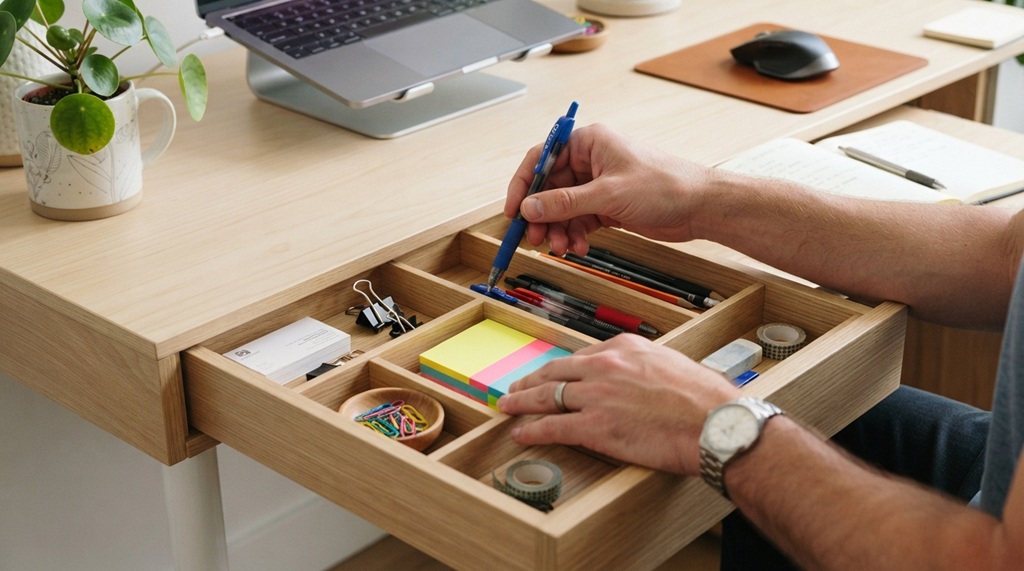
An effective desk organization system has three components: zones for different activities, containers that match your items, and daily habits that maintain the system. Without all three, any organization effort will eventually collapse back into clutter.
Think of your desk as having distinct zones. The primary zone is where you do your main work—typing, writing, or reading. The secondary zone holds tools you use regularly but not constantly, like a calculator or a notepad. The peripheral zone stores items you need occasionally, such as reference materials or office supplies.
Establishing an Ergonomic Zone-Based Workflow
Optimize your physical workspace by designating a primary zone directly in front of you for essential daily drivers like your keyboard, mouse, monitor, and an active notepad, while seamlessly transitioning items used several times a day—such as a pen holder, document tray, and phone stand—into the secondary zone, leaving peripheral areas like file racks, supply caddies, or a portable label maker in WA stored neatly alongside your storage bins and file folders.
Use Trays and Containers With Clear Boundaries
Open trays work best for active documents because they make items visible and accessible. Closed containers or drawers work better for supplies you don’t need daily, because they hide visual clutter while still keeping items within reach. The key is to match the container type to how often you access the contents.
Label everything, even if you think you’ll remember where things go. Labels serve two purposes: they help you find items quickly, and they create a clear boundary that makes it easier to put things away. When an item has a designated spot, you’re much more likely to return it there.
Common Desk Organization Mistakes and How to Avoid Them
Many people buy organizers, set them up once, and then wonder why their desks get messy again within a week. The problem usually isn’t the organizers—it’s the system around them. Here are the most common mistakes and practical fixes.
Buying Organizers Before Decluttering
Organizers don’t create space; they simply arrange what’s already there. If you have too much stuff, no organizer will fix that. Before buying anything, go through your desk and remove everything you don’t use at least weekly. Donate, recycle, or store items that are only needed occasionally. This step alone will make a bigger difference than any product you can buy.
Over-Organizing to the Point of Rigidity
Some people create systems so rigid that they’re impossible to maintain. If every single item must be in its exact place at all times, you’ll quickly get frustrated and abandon the system entirely. Instead, aim for a system that’s about 80% organized. Allow yourself a small tray or drawer for miscellaneous items that don’t have a clear category.
Ignoring Cable Management
Cables are one of the biggest sources of desk clutter, yet they’re often overlooked in organization plans. Tangled cables not only look messy but also make it difficult to clean your desk and move equipment. Use cable clips, sleeves, or a cable management box to keep cords contained and out of sight.
Daily Habits That Keep Your Desk Organized Long-Term
Organization is not a one-time event—it’s a daily practice. The good news is that maintaining an organized desk takes far less time than cleaning up a messy one. A few minutes of consistent effort each day will keep your workspace functional and your mind clear.
End Each Day With a Five-Minute Reset
At the end of your workday, spend five minutes returning items to their designated spots. File away documents, put pens back in their holder, and clear your primary zone completely. This small habit ensures you start each morning with a clean slate, which sets a positive tone for the entire day.
Adopt the One-Touch Rule
When you pick up an item, put it where it belongs immediately rather than setting it down temporarily. This simple rule prevents the buildup of “temporary” piles that quickly become permanent clutter. It takes less than a second to put a pen back in its holder, but it takes several minutes to sort through a pile of miscellaneous items at the end of the week.
Frequently Asked Questions
What are the best desk organizers for small spaces?
For small desks, prioritize vertical storage and multi-functional pieces. Monitor stands with built-in drawers, wall-mounted shelves, and stackable trays maximize space without taking up surface area. Magnetic strips for clips and tools also work well because they use vertical space that would otherwise be wasted.
How many desk organizers do I actually need?
Start with three basic organizers: a pen holder, a document tray, and a small container for miscellaneous items like sticky notes and paper clips. Add more only if you find yourself with items that don’t have a designated home. Over-organizing can be just as counterproductive as under-organizing.
Can desk organizers really improve productivity?
Yes, but indirectly. Desk organizers reduce visual clutter, which lowers cognitive load and makes it easier to focus. They also eliminate time spent searching for items. The productivity gain comes from fewer distractions and smoother workflows, not from the organizers themselves.
Should I use open shelves or closed drawers for desk organization?
Use open shelves or trays for items you access daily, because visibility makes them easier to grab quickly. Use closed drawers for items you use less frequently, because hiding them reduces visual clutter. A combination of both works best for most workspaces.
How often should I reorganize my desk?
Do a full decluttering session every three to six months, depending on how quickly your workspace accumulates items. In between, perform a five-minute daily reset and a weekly review to catch any items that have drifted out of their designated spots.
Conclusion
An organized desk is not about perfection it’s about creating a workspace that supports your focus and efficiency. By choosing organizers that match your workflow, setting up logical zones, and maintaining simple daily habits, you can reduce mental clutter and spend less time searching for what you need. Start by decluttering your current space, then add organizers strategically rather than all at once. Remember that the best system is one you can maintain consistently, not one that looks impressive but falls apart after a week. Build your organization around your actual work patterns, and you’ll create a desk that helps you do your best work every day.